

Use code NEWSTUDENT at checkout & save 20% off your first order (any number of lessons)
How to Prepare for a Live Online Presentation

Professional presenting a live webinar from a clean workspace with good lighting.

How to Prepare for a Live Online Presentation

How to Prepare for a Successful Live Online Presentation

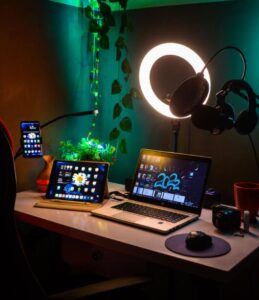
Organized workspace set up with external microphone and laptop for live online streaming.
Image by Adeniji Abdullahi via Pexels
Presenting over a screen presents unique challenges that traditional, in-person public speaking does not. Between managing audience engagement, navigating video conferencing tools, and maintaining strong eye contact through a camera lens, online presentations require intentional preparation. By combining clean visual slides, a professional lighting and audio setup, and a thorough technology rehearsal, you can eliminate tech anxiety and deliver a smooth, commanding presentation that keeps your remote audience hooked.
 

Question:

How do you prepare for a live online presentation?

Answer:

Preparing for a successful live online presentation requires a three-part strategy: structuring clean visual content, setting up a professional audio-visual environment, and conducting a full tech test run on your streaming platform. Focusing on these core areas ensures you deliver your message with clarity, natural confidence, and minimal technical friction.

  1. Plan Your Content and Slide Design

  • Know Your Audience: Tailor your content to match your listeners’ existing knowledge level, focusing directly on the key takeaways they need.
  • Keep Slides Clean and Visual: Use large, readable fonts and concise bullet points rather than dense paragraphs. Your slides should complement your speech, not replace it.
  • Use Conversational Notes: Avoid reading a word-for-word script off your screen. Speaking from brief outline notes keeps your delivery natural, engaging, and authoritative.
  1. Optimize Your Gear and Studio Environment

  • Position Camera at Eye Level: Set your webcam at or slightly above eye level. Looking directly into the lens creates natural eye contact with your virtual audience rather than looking down at them.
  • Lighting: Place your primary light source (a desk lamp, ring light, or window) directly in front of you to keep your face bright, clear, and shadow-free.
  • Control Audio and Background Noise: Choose a quiet room, close doors and windows, and use an external microphone or headset whenever possible to eliminate echo and room noise.

3. Practice and Test Your Streaming Tech

  • Master Platform Screen Sharing: Launch Zoom, Microsoft Teams, or your target presentation software ahead of time to practice screen sharing, managing slide transitions, and monitoring chat features.
  • Run a Complete Dry Run: Rehearse out loud while recording yourself or presenting to a friend. Reviewing your recording helps you check your timing, refine vocal pacing, and cut out filler words like “um” or “like.”
  • Incorporate Interactive Moments: Plan interactive touchpoints—such as quick chat prompts, polls, or live Q&A breaks—every 7 to 10 minutes to keep online participants active and engaged.

Virtual Presentation Checklist

  [   ] Camera at eye level

  [   ] Lighting in front

  [   ] Mic tested

  [   ] Test dry run complete

Master the Art of Virtual Communication

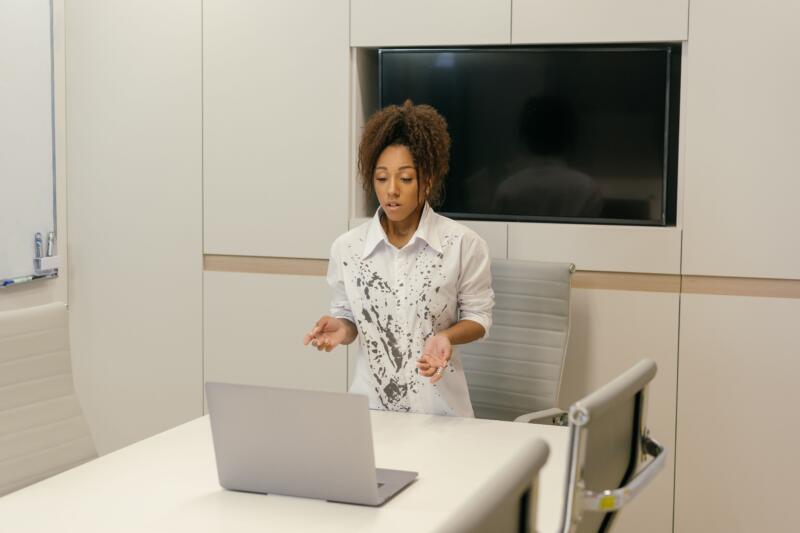
Professional presenting a live webinar from a clean workspace with good lighting.
Image by Mikhail Nilov via Pexels

Virtual presentations are now a core part of academic, corporate, and personal communication. When you eliminate technical surprises through structured prep, you free up your mental bandwidth to focus on what matters most: connecting with your audience and delivering your message with clarity. Developing strong digital presentation habits ensures you stand out as a competent, engaging, and professional speaker every time you go live.


Polish Your Presentation Skills with Expert Coaching

Want to polish your online presentation style, eliminate filler words, or build executive speech confidence? One-on-one coaching gives you personalized feedback to master both technical delivery and vocal presence. Visit MyTutorLesson.com today to schedule a voice and public speaking session tailored to your goals!